
ChordSheet
A ChordPro editor and two-column performance player for the Mac.
What it is
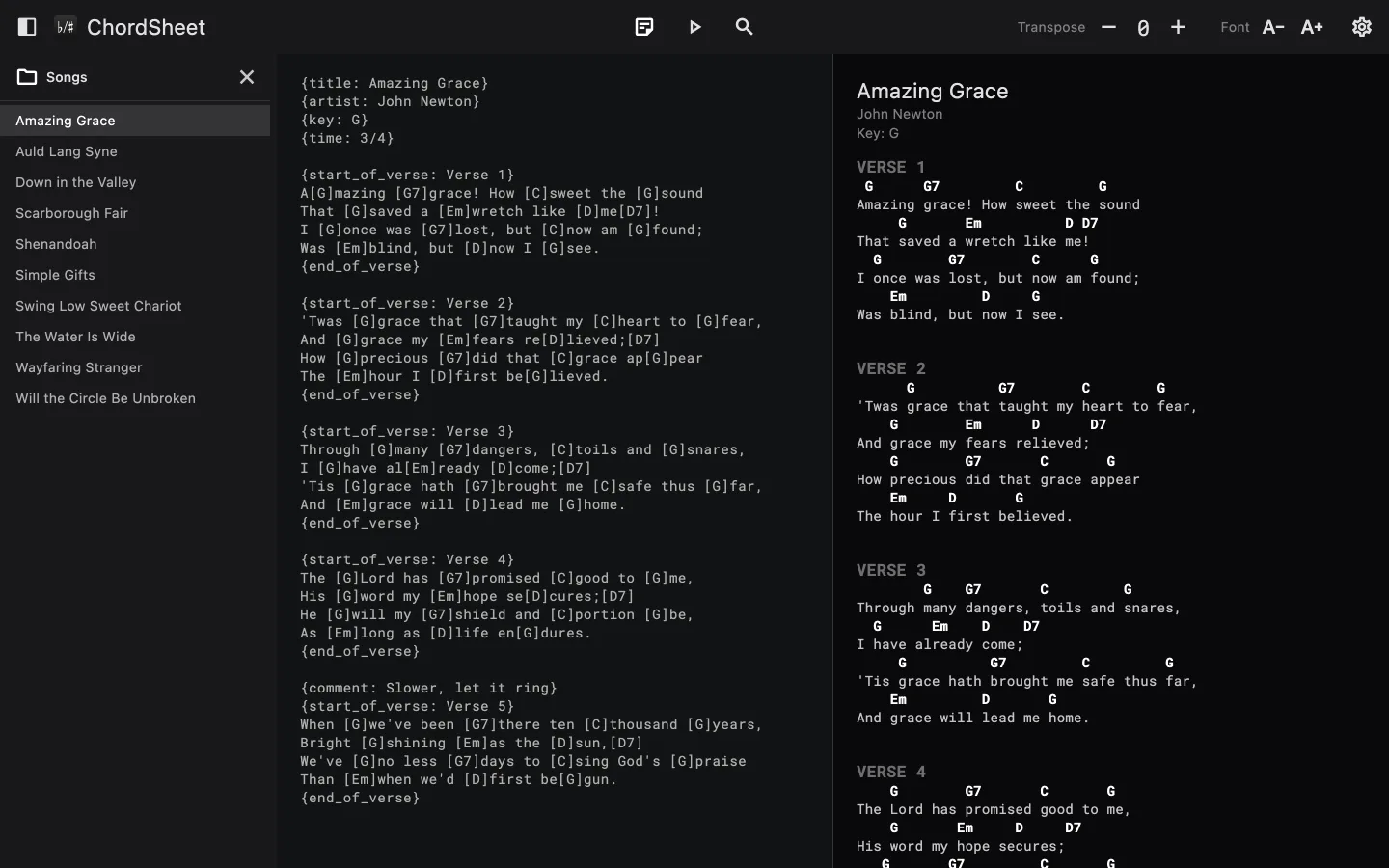
ChordSheet edits songs in ChordPro, a plain-text format where chords sit in brackets inside the lyrics, and shows them as chords over words. Your songs are ordinary text files in a folder you choose.
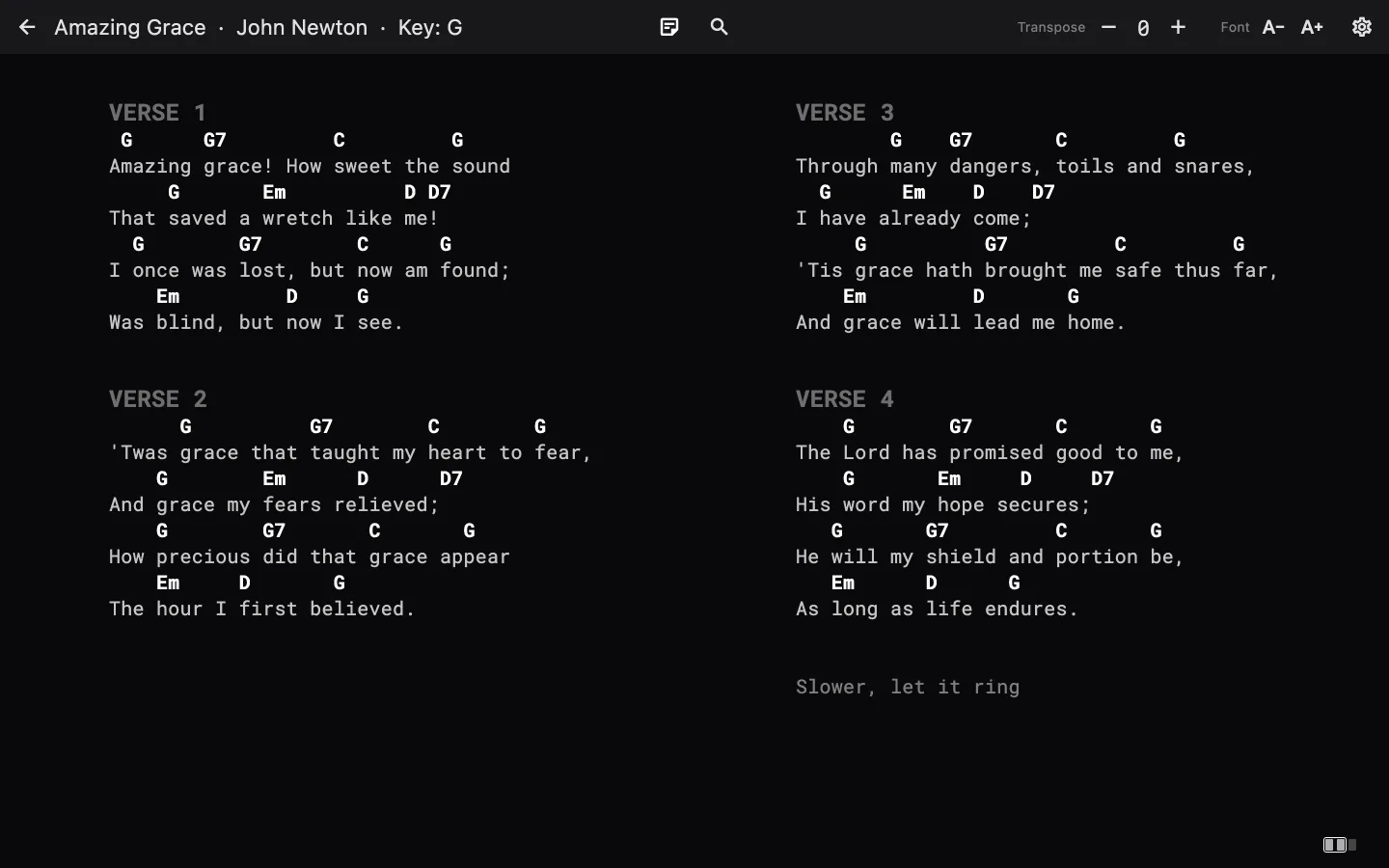
When it's time to play, the player shows the song in two large columns and turns one column at a time, so the next part is always in view.
Features
Live preview
The ChordPro text on one side, the finished song on the other, updated as you type. Typing { lists the directives.
Two-column player
Paging slides one column along. Sections stay together, and {column_break} starts a new column where you want one.
Transpose
Saved with the song. Chords are spelled for the key, so you get Bb rather than A# where F is common.
Your song folder
A sidebar lists the songs in a folder. Search it by title, artist, file name or lyrics.
Convert chord sheets
Turn plain text with chords above the lyrics into ChordPro, in place. Undo restores it.
Find songs online
Search from inside the app and open the query on a chord site in your browser.
Notes
Keep performance notes in the song, shown in amber, and hide them with one button.
Export to PDF, on A4, with sections kept whole across pages.
Get it
ChordSheet is on its way to the Mac App Store. A link will appear here once it's live.
It's open source, so you can also build it yourself from the source on GitLab.
Support
Something not working, or a question about ChordSheet? Email support@psugar.xyz, or open an issue on GitLab.
It helps to include your macOS version and, if it's about a particular song, the ChordPro text that shows the problem.